Appearance
Withdraw an Entry
If your competition organiser has enabled the ability for you to withdraw an entry, you can do this by following these steps;
Step 1: Go to the Entries page
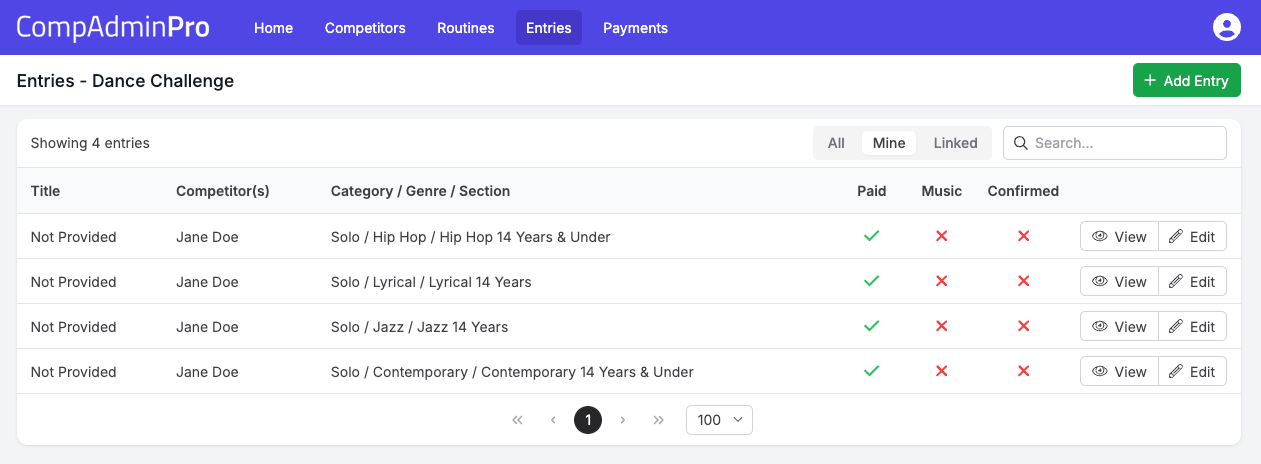
Click on the "Entries" link in main menu bar, you will see a list of your entries, if you see a "Select Competition" button, this means you have not selected a competition yet. Click on the button to select the competition you want to withdraw from.
Step 2: View your Entry
Click on the "View" button next to the entry you want to withdraw. This will take you to the entry page, where you will see the "Withdraw" button.

Step 3: Click Withdraw
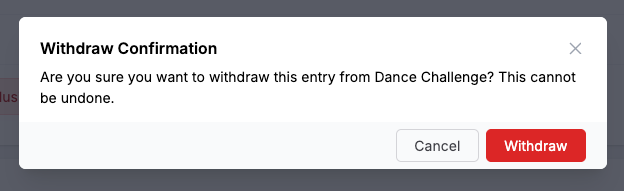
Click on the "Withdraw" button. You will be presented a confirmation message to finalise the withdrawal. Click the "Withdraw" button to confirm.