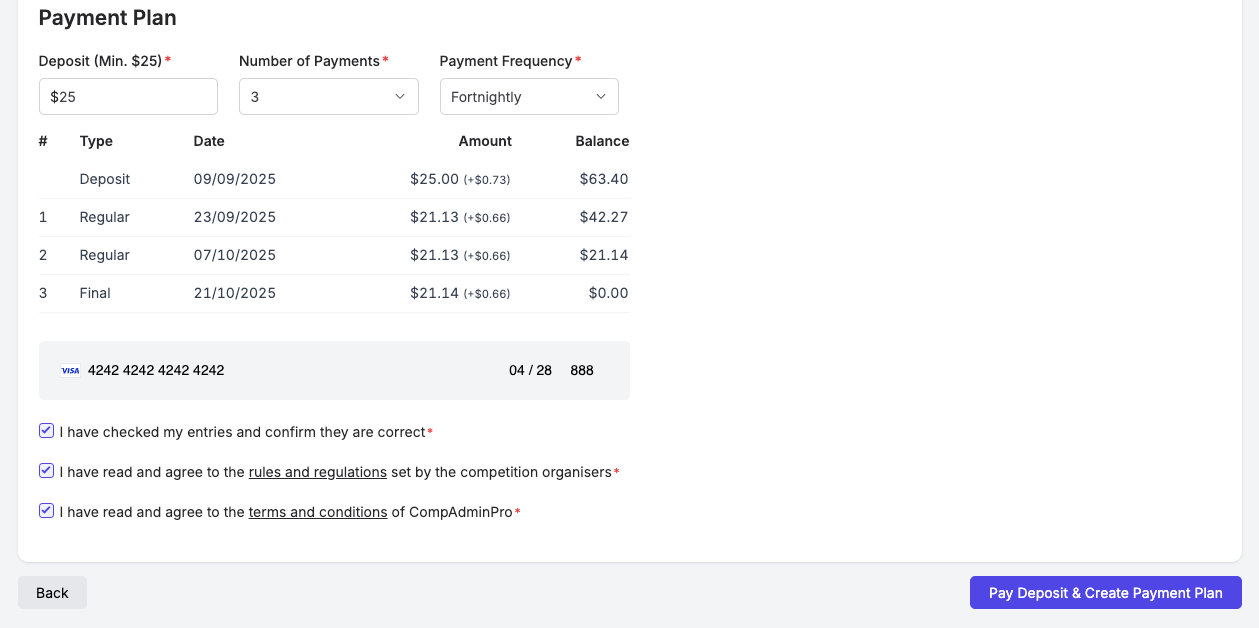
Appearance
Setting Up a Payment Plan
Payment Plans allow you to split the cost of entries and addons into multiple payments. If your competition allows payment plans the below is how to set them up.
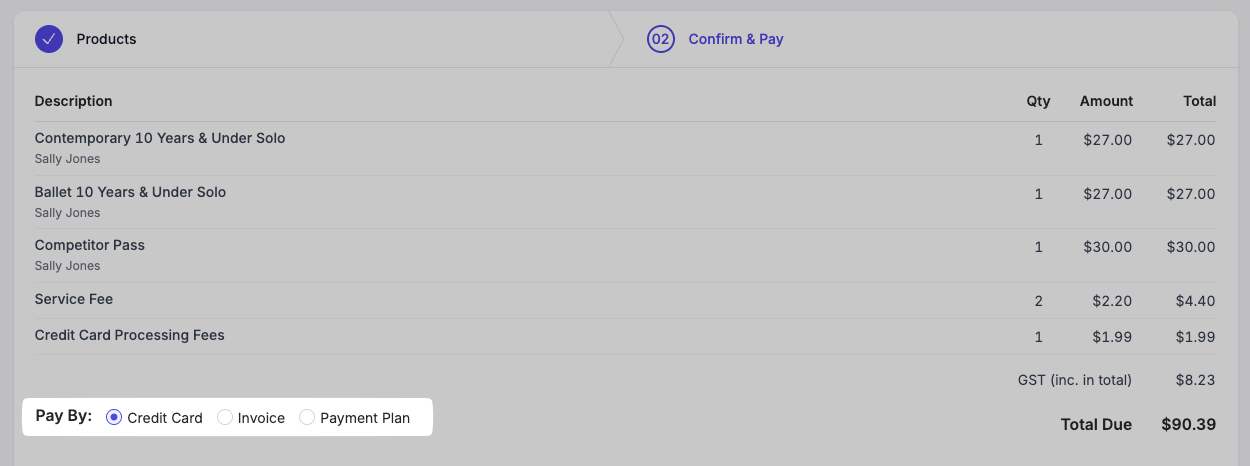
Step 1: Select to pay by Payment Plan
If the total of your cart meets the minimum amount for a payment plan you will see a "Payment Plan" option under "Pay By". Select this option.
If the competition has added this option for you it will already be selected.
Step 2: Configure your payment schedule
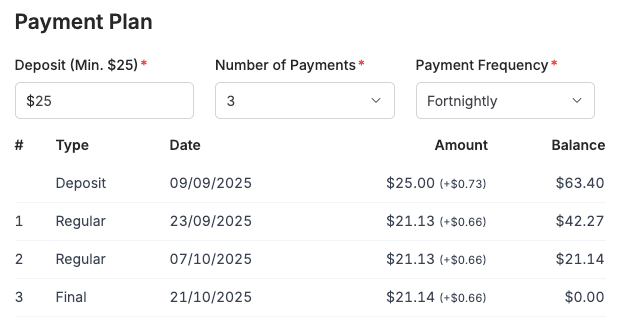
Once you select the Payment Plan option you will see the payment schedule configuration.
Here you can select the number of payments you would like to make and the frequency of those payments.
You may also increase the deposit amount if you wish to pay more upfront.
Step 3: Add your Payment Details
Once you have configured your payment schedule you will need to add your credit/debit card details to set up the payment plan.
This is the card that will be charged for the deposit and subsequent installments.
You will be charged the deposit amount immediately, and the remaining installments will be charged automatically on the schedule you set up.
Step 4: Finalise Checkout
Once you have added your payment details you can finalise your checkout as normal by reading and agreeing to the terms and conditions and clicking the "Pay Deposit & Create Payment Plan" button.